If you click the Original Layout button, the pictures in the original PDF file will be kept in the Word document after conversion.
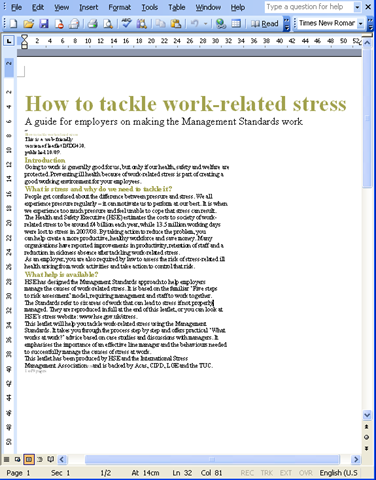
If you click the Text Only button, no picture will appear in Word document.
For example,
The original PDF file
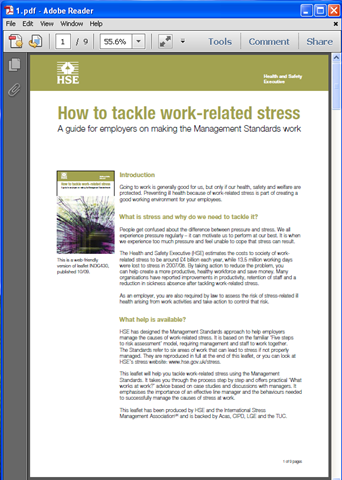
If you click the Original Layout button, you will get the following Word document:
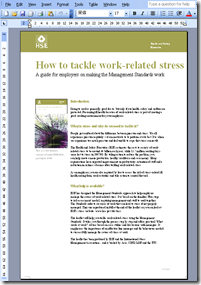
![]()
If you click the Text Only button, you will get:
Related Posts
Related posts:
Can I use your PDF to Word Converter to convert from PDF files to PowerPoint documents?
If my PDF file contains a user password, can I use your PDF to Word converter to convert it?
Can I select several pages form the PDF file to convert to Word Document? How can I do it?
What is difference between Word DOC and RTF? Is your product support both DOC and RTF formats?
After I convert my PDF file to RTF file, how can I insert this RTF file to Excel application.
Can I convert a PDF file in French to a word document with VeryPDF PDF To Word?
How to convert PDF to Word(DOC/DOCX/RTF)
How to merge images of PDF to Word background
2 Replies to “What is difference between "Original Layout" and "Text only (No Images)" options?”
Comments are closed.