If your PDF file has an open password, you can do as follows:
Step 1: Run the VeryDOC application.
Step 2: Drag the PDF file you want to convert to the list box.
Step 3: Type the password on the added box.
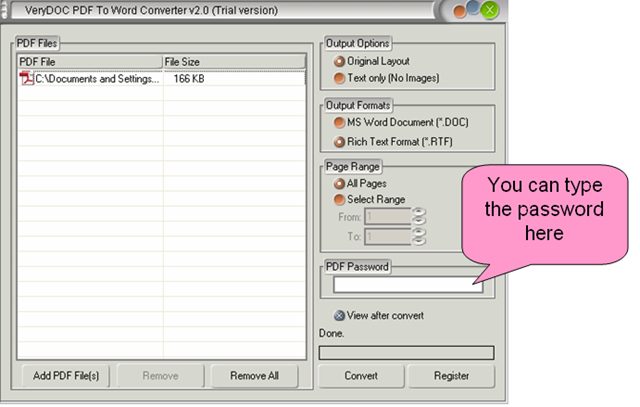
Step 4: Click the Convert button.
Related Posts
Related posts:
PDF is not easy to edit, can I edit PDF in Word?
How can I preserve only the text form PDF file to Word document?
I have lots of PDF files, I want to batch convert them to PDF files at one time, please teach me how...
After I convert my PDF file to Word document, how can I add the header and footer in MS Word applica...
Why we need PDF to Word Converter?
Convert txt to pdf and set pdf password of user
Convert text to pdf and set pdf password
How to remove graphics and pictures from PDF to Word