Skip to content
VeryDOC Knowledge Base

VeryDOC Knowledge Base

Technology Center for VeryDOC products.

  • Home
  • Products
    • DOC to Any Converter
    • PDF to Vector Converter
    • PDF to Word Converter
    • PostScript to Image Converter
    • PDF to Flash Converter
    • PDF to DWG Converter
    • PDF to PDF/A Converter
    • PowerPoint Converter
    • PDF Compressor
    • PostScript to PDF Converter
  • Company
    • About Us
    • Contact Us
  • Blog

Tag: pdf to image converter

Posted on December 9, 2011December 9, 2011 PDF to Image Converter

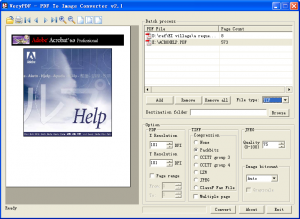
PDF to Image Converter at VeryPDF.com with 20% Discount

If a PDF file contains a scan image of a document, you can save the contents of this PDF as an image so that you...

Posted on November 15, 2011 PDF to Image Converter

How to convert PDF file to image by command line?

If you want to convert the PDF file to image file and you are used to MS Window, please read this article. I will introduce...
Custom Development Services

VeryDOC offers customized development services to meet your unique business needs, including PDF Processing, Document Automation, Document Analysis, Format Conversion, OCR, DRM, Barcode Solutions, Virtual Printer, AI Integration, and more. Contact us today to get a personalized solution!

Meta

  • Register
  • Log in
  • Entries RSS
  • Comments RSS
  • VeryPDF.com
  • VeryDOC.com
  • VeryUtils.com
  • imPDF.com

Solutions

  • [Solution] Revolutionizing Document Data Extraction with AI-Driven VeryDOC …

Recent Posts

  • Using PDF engagement insights to optimize follow-up sequences and improve r…
  • How PDF tracking supports lead qualification by showing exactly which propo…
  • Using PDF analytics dashboards to visualize user interaction with documents…
  • How PDF engagement metrics help marketers refine email campaigns by underst…
  • Using PDF tracking to monitor which sections of a brochure drive the most i…

Categories

Archives

Calendar

March 2026
M T W T F S S
« Feb    
 1
2345678
9101112131415
16171819202122
23242526272829
3031  
© 2026 VeryDOC Knowledge Base / VeryPDF.com / VeryDOC.com / VeryUtils.com / Support